SEO Tools that Integrate with WordPress and Webflow
A practical guide to selecting and using SEO tools that integrate with WordPress and Webflow, with real-world workflows, trade-offs, and SerpX-backed insights.
SEO Tools that Integrate with WordPress and Webflow
If you manage sites on WordPress or Webflow, you know the pain: most SEO tools don’t play well with your CMS, forcing you into clunky workflows, stale data, or manual workarounds. The real decision problem isn’t about features alone; it’s about whether a tool can sync with your content cadence, respect your CMS structure, and still deliver timely insights. This guide isn’t about flashy promises. It’s about practical criteria, concrete trade-offs, and a workflow you can actually run on a live site.
Facing the CMS Hurdle: Tools that Work with WordPress and Webflow
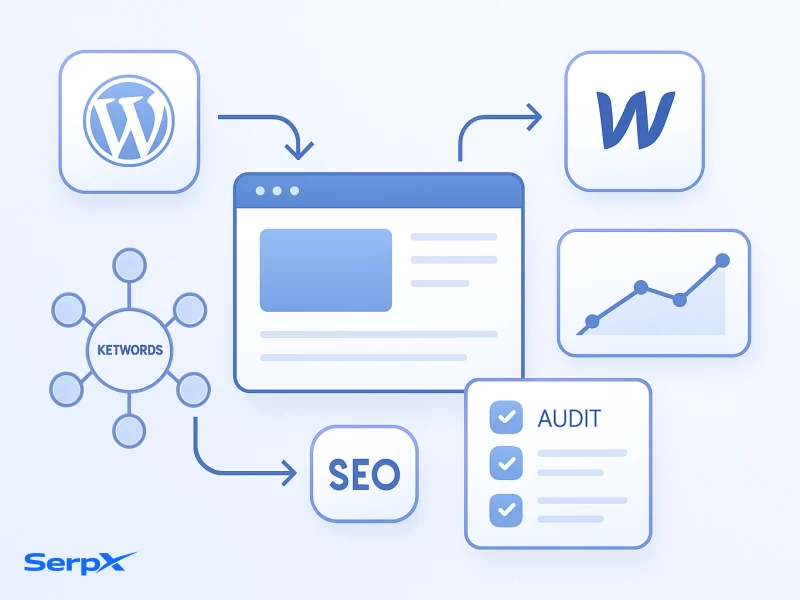
WordPress and Webflow power different editorial and development patterns. WordPress leans on plugins, posts, taxonomies, and a long history of SEO hacks; Webflow emphasizes clean HTML/CSS, visual design, and a more rigid CMS structure. When a tool integrates well, it stops becoming a data source and starts becoming a content partner—helping you optimize what you publish, where you publish it, and how readers find it.
The practical problem isn’t just data quality. It’s workflow alignment: can you push keyword insights, on-page suggestions, and technical fixes into your existing dashboards and content workflows without forcing you to export, re-import, or manually adjust dozens of fields? The answer lies in choosing tools with CMS-aware integrations and a clear, repeatable process you can scale across teams.
How to Choose the Right SEO Tools for WordPress and Webflow
In real workflows,
Below are practical criteria you can apply in 15 minutes to shortlist options. Think in terms of impact on your editorial velocity, not just feature counts.
- CMS integration depth: Do you get live data within the CMS UI, or are you stuck with exports and dashboards that require manual syncing?
- Data quality and freshness: How current is the data, and does it reflect page-level signals on WordPress and Webflow pages?
- Content workflow compatibility: Can the tool suggest optimizations directly in your writing or CMS workflow?
- Pricing and value: Is the price tier aligned with how many sites and authors you manage?
- Support for technical SEO: Does it surface actionable technical fixes (crawl issues, structured data, page speed) alongside content guidance?
In many cases, the best choice is a balanced mix: a core tool for keyword and content strategy, complemented by a lightweight checker for technical health. If you primarily publish in WordPress, you’ll want a tool that can surface optimization signals in-editor or near-editor; for Webflow, you’ll value precise page-level insights that map cleanly to your design blocks.
Integration Options and Trade-offs
There are two common integration models: plugin-based integrations inside the CMS and API-driven connections that feed data into your dashboards. Plugins can offer convenience but risk overloading the editor or slowing page loads if not thoughtfully designed. API-based connections tend to be more flexible and scalable, but require more initial setup and governance to prevent data drift.
Practical trade-offs to consider include:
- Latency vs accuracy: Real-time data is ideal, but sometimes nightly syncs keep costs down and data stable.
- Granularity of data: Page-level signals (title tags, meta descriptions, header usage) beat bulk domain metrics for editorial decisions.
- Automation vs control: Automated content suggestions are powerful, but you still want human oversight for brand voice and accuracy.
- Vendor focus: Some tools excel at keyword analysis; others shine in backlink signals or competitive benchmarking. Pick a mix that covers your gaps.
For teams working with WordPress and Webflow, the sweet spot is a toolset that offers both: a core platform for keyword and content optimization, plus targeted checks that can be pushed into your editor when needed.
Feature Comparison for WordPress/Webflow Integrations
One thing many teams miss:
Below is a practical snapshot of how a few common options stack up in CMS-driven environments. This table focuses on integration posture, data usability, and content-workflow fit rather than marketing fluff.
| Tool | CMS Integration | Data Freshness | Content Optimization | Ease of Use | Best For |
|---|---|---|---|---|---|
| SerpX AI Tools | API + Plugins | Real-time | Yes, AI-driven suggestions | High | Editorial optimization and smarter content prompts for WordPress/Webflow |
| Keyword Gap Tool | API (reports via API) | Daily | Indirect (opportunity discovery) | Medium | Identify keyword opportunities and coverage gaps |
| Backlink Checker | API | Near real-time | No direct optimization | Medium | Backlink health and anchor strategies for CMS pages |
| Competitor Keyword Research Tool | API | Daily | No direct optimization | Medium | Competitive keyword opportunities and gaps |
Note: table contents reflect practical CMS integration realities. The right mix depends on your team size, publishing velocity, and whether you prioritize content speed or data depth.
SerpX Workflow: Practical Steps You Can Run This Quarter
Here’s a concrete, repeatable workflow you can apply to WordPress and Webflow projects using SerpX as the backbone. It’s designed to be fast to start and hard to break once you’re used to it.
- Define editorial goals: pick 3 primary topics and 5 supporting long-tail intents you want to win for the quarter. Keep goals concrete (e.g., increase topic authority, improve pages X and Y).
- Run initial keyword research: map target topics to keyword opportunities, focusing on intent alignment and search volume thresholds. This is where a keyword research guide can help you structure clusters efficiently.
- Identify gaps and opportunities: use gap analysis to surface keyword opportunities your competitors miss and align them with your content plan.
- Draft and optimize content: generate or refine content with AI-assisted prompts, but enforce your brand voice, accuracy checks, and internal linking strategy.
- Measure impact and iterate: set a cadence (weekly review) to adjust the content map, wire in new keywords, and refine page-level optimization signals.
In practice, you’ll want to pair SerpX with a lightweight SEO toolkit that covers technical checks and page-level improvements. If you’re uncertain where to start, consider reading deeper about AI-driven SEO strategies to align people, data, and automation in a single workflow.
Soft CTA: Explore SerpX’s capabilities with a broader toolkit. Learn more at the SerpX tools hub.
SerpX AI Tools
Soft CTA: Curious about a free starter set? Check Free SEO Tools for quick wins and quick validation of ideas.
Free SEO Tools
Implementation Checklist
One thing many teams miss:
- Audit your current WordPress/Webflow pages for quick wins (title tags, meta descriptions, H1/H2 structure).
- Define 3 KOIs (Key Optimization Initiatives) and tie them to content assets.
- Set up a cadence for keyword gap analysis and content updates.
- Establish a lightweight review process so changes align with brand voice and accuracy.
- Monitor performance weekly and adjust the content map as needed.
Common Mistakes and How to Avoid Them
- Over-optimizing metadata: Avoid stuffing keywords into every tag. Keep intent-focused, readable titles and descriptions.
- Ignoring Webflow's structure: Don’t treat Webflow pages as generic HTML. Respect class names, sections, and semantic headings to avoid layout misalignment.
- Forgetting to test changes: Always run a quick validity check after changes to avoid broken internal links or schema issues.
- Relying on a single data source: Combine insights from keyword gap analysis with technical SEO checks for a complete view.
Related Articles
This becomes a problem when
- Best value SEO tools for German marketing experts
- Reliable Rank Tracking Software for UAE Businesses
- Most accurate keyword gap analysis tool 2026
Final CTA: Ready to start with WordPress and Webflow optimization at scale? See SerpX pricing and begin your journey today.
Frequently Asked Questions
What makes a good integration for WordPress and Webflow?
A good integration feels native to the CMS: it surfaces optimization hints where editors work, respects page structure, and avoids performance trade-offs. It should offer reliable data, simple setup, and a clear path from insight to action.
Do these tools support both content and technical SEO?
Yes, especially when combined with a workflow that covers keyword research, on-page optimization, and technical checks (crawlability, structured data, and page speed) without forcing you to switch contexts.
How does SerpX fit into a CMS-focused workflow?
SerpX provides AI-assisted keyword research, content optimization prompts, and workflow-friendly insights designed to slot into editorial calendars and CMS-based publishing streams—helping teams ship better pages faster.
Can I use WordPress and Webflow together with these tools?
Yes. You can map content strategy across both platforms by aligning topic clusters, ensuring consistent on-page signals, and sharing keyword opportunities across editors and designers.
What are typical costs for these integrations?
Costs vary by data depth, user seats, and feature sets. Start with a core tool for keyword and content optimization, then pilot additional signals (e.g., backlinks or competitor insights) as your needs grow.
How often should I refresh keyword research?
At minimum quarterly, with a monthly retune for top topics or new market developments. If you operate in fast-moving niches, consider a biweekly refresh cycle.
Apply these ideas with SerpX tools
Turn insights into action with practical workflows for keyword research, competitor analysis, backlink review, and SEO planning.